

Password Reset Video Tutorial
If you need to Reset Your Password
1. Click "forgot password".
2. There will be a prompt to enter in the email address associated with your account. Select "Send"
3. Check your email inbox and spam folder for the email to reset password. Select "Reset Password"
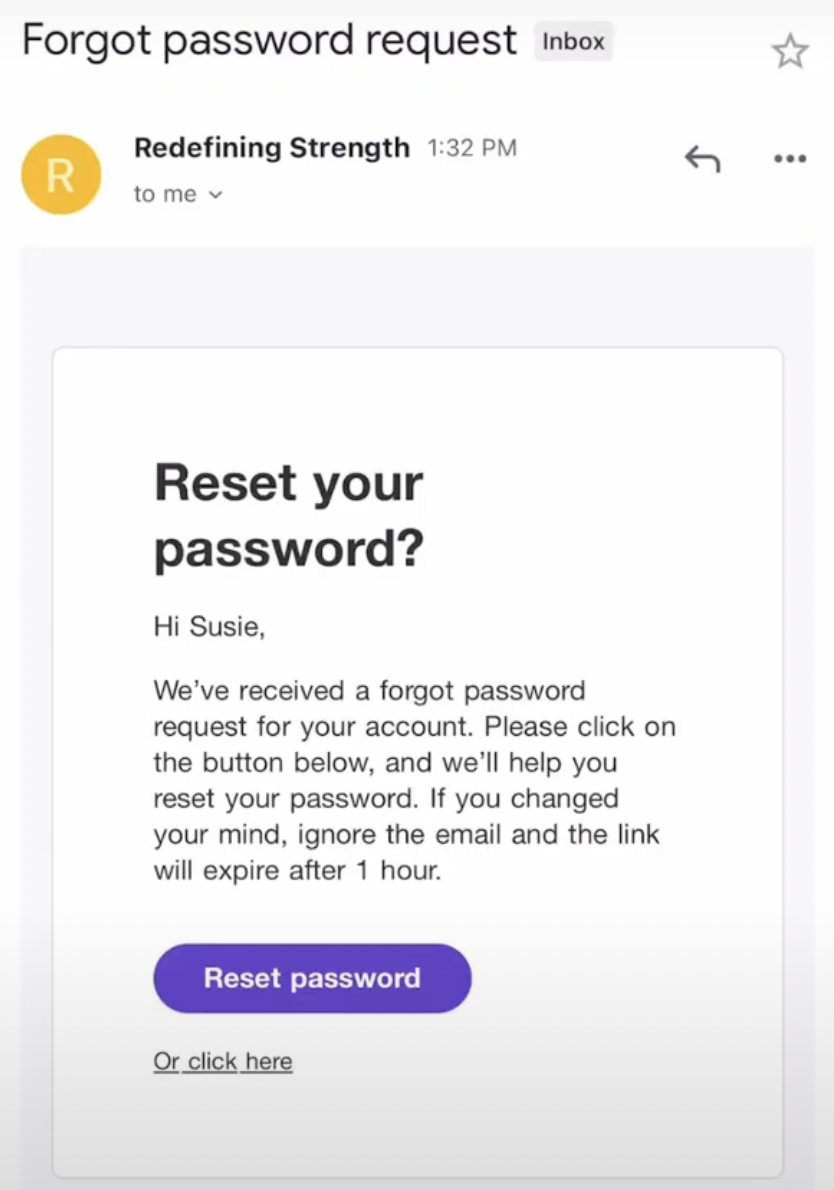
4. You will receive another email with a temporary password. Copy and paste this temporary password into the Dynamic Strength login credentials with your email address.
5. Once logged in successfully, you'll go to the "You" tab at the bottom right corner and click the Gear icon at the top right.
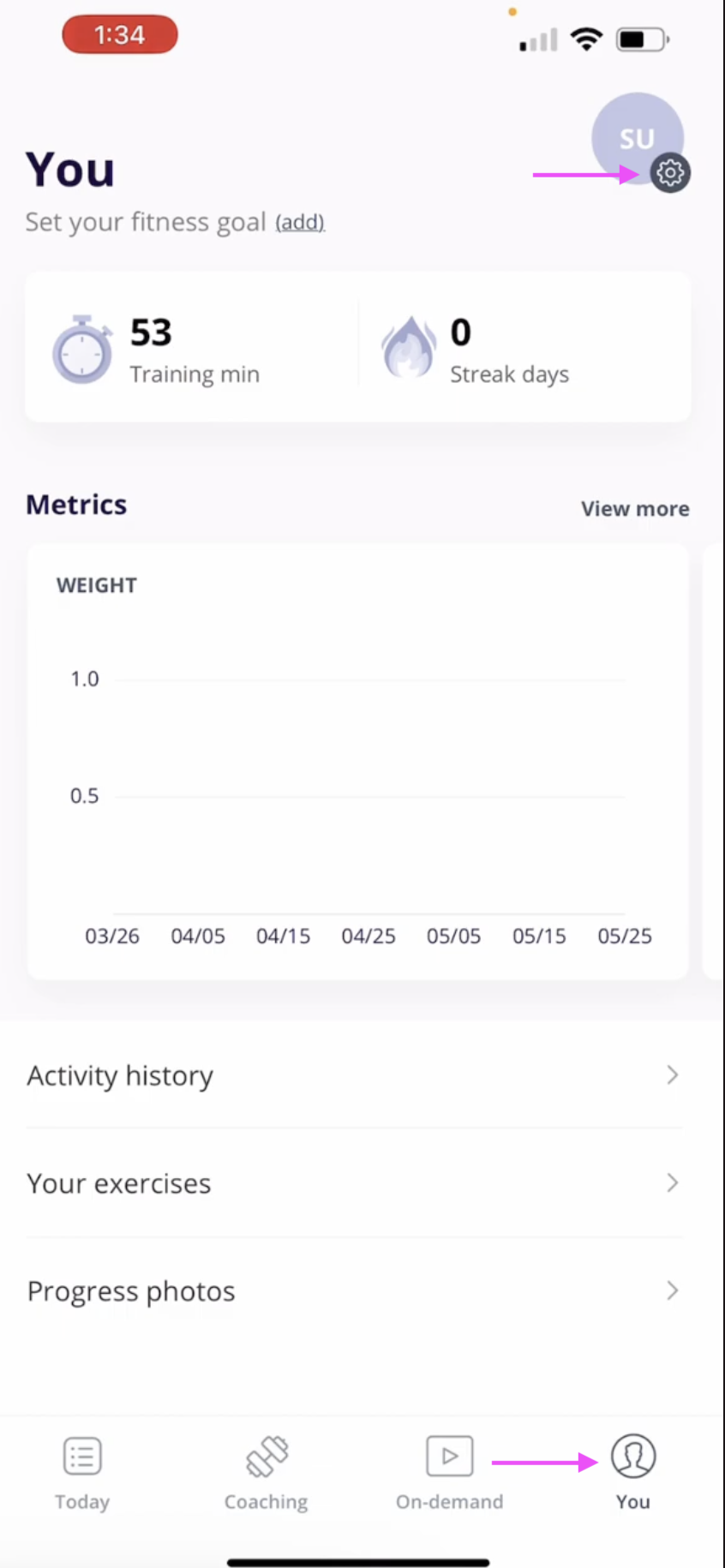
8. Select "Change Password"
9. You'll enter in the temporary password and select a new password with the following requirements:
At least one number
At least one alphabet letter
At least one special character
At least 8 characters