
Redefining Strength Support

Have a question? Search our knowledge base or chat with us!

Managing Notifications for the Community Forum

How to Use the App / Features

Managing Notifications for the Community Forum

Turning on/off the notifications for the Community Forum

Last updated on 24 Jun, 2026

To turn on/off your notifications for the Community Forum, go to the today tab. Click on the Dynamic Strength Community Forum. In the top right corner, click on the 3 dots. 
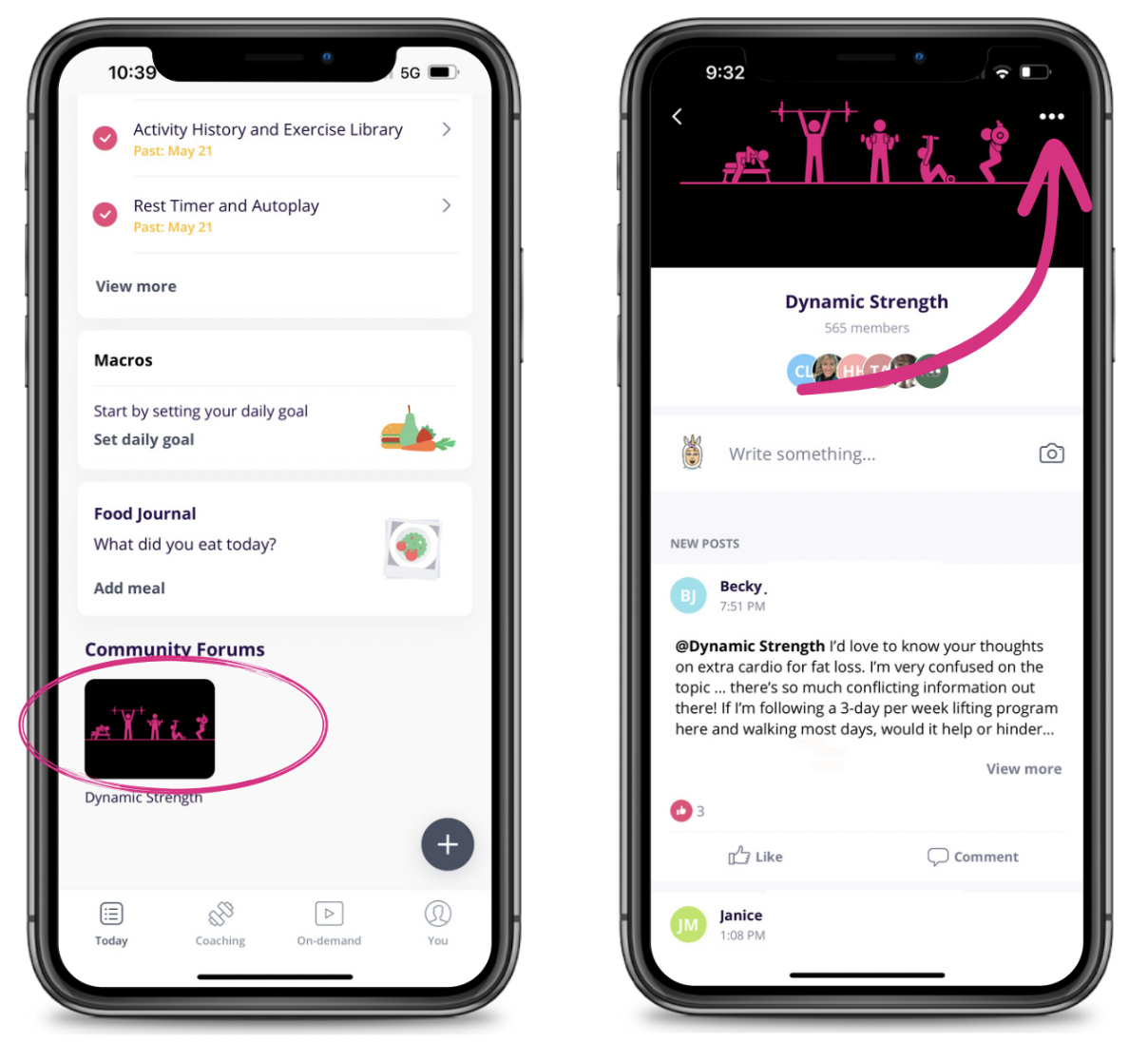
Image

Click on 'Notification Settings.' Select your preferred setting and click 'Save.' 
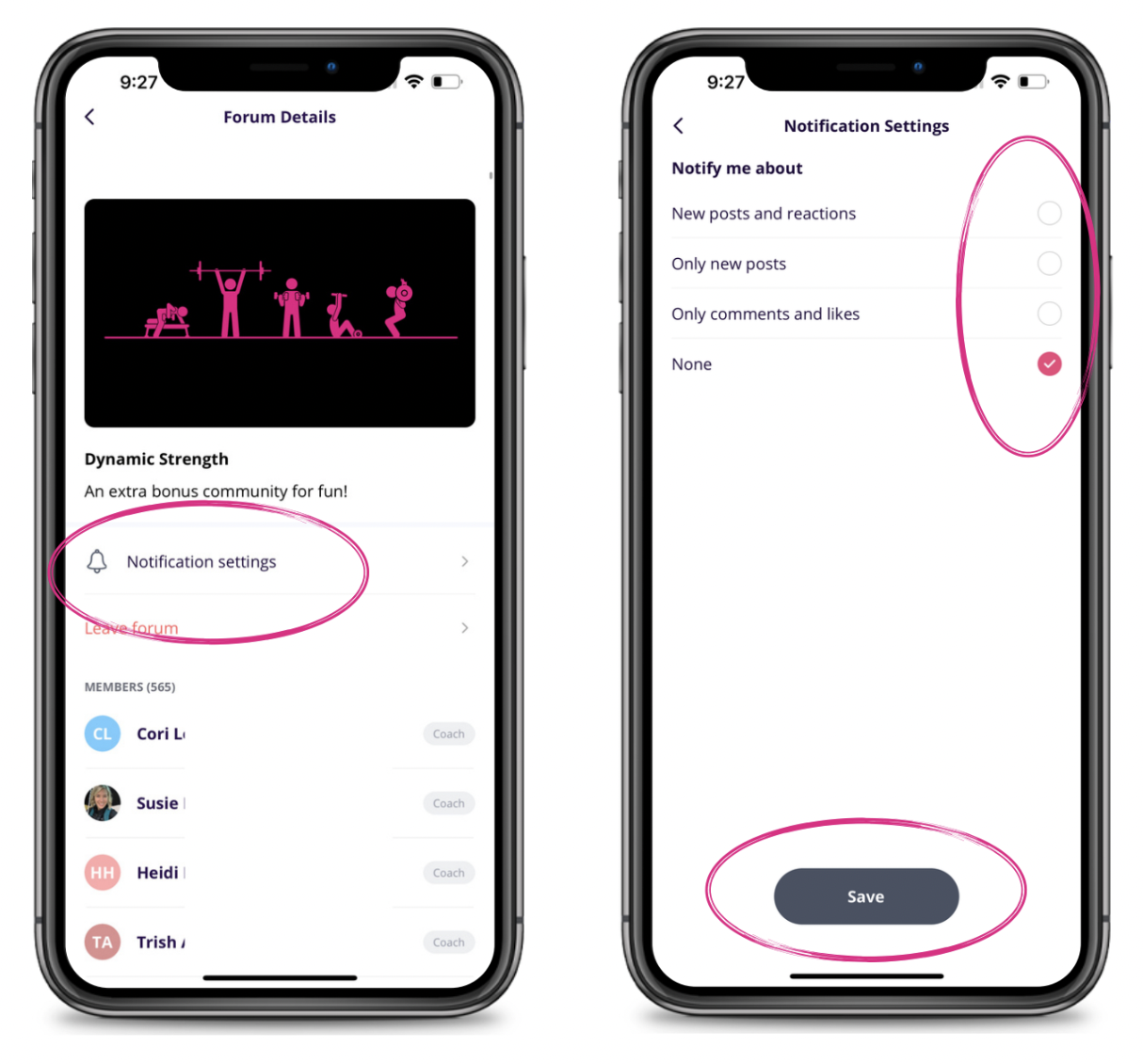
Image


Did you find this article helpful?
Previous

Connecting Cronometer to Dynamic Strength

Next