
Video Instructions
Written Instructions
To connect Cronometer, you will go to the "You" tab and click the gear icon in the top right corner to open Settings.
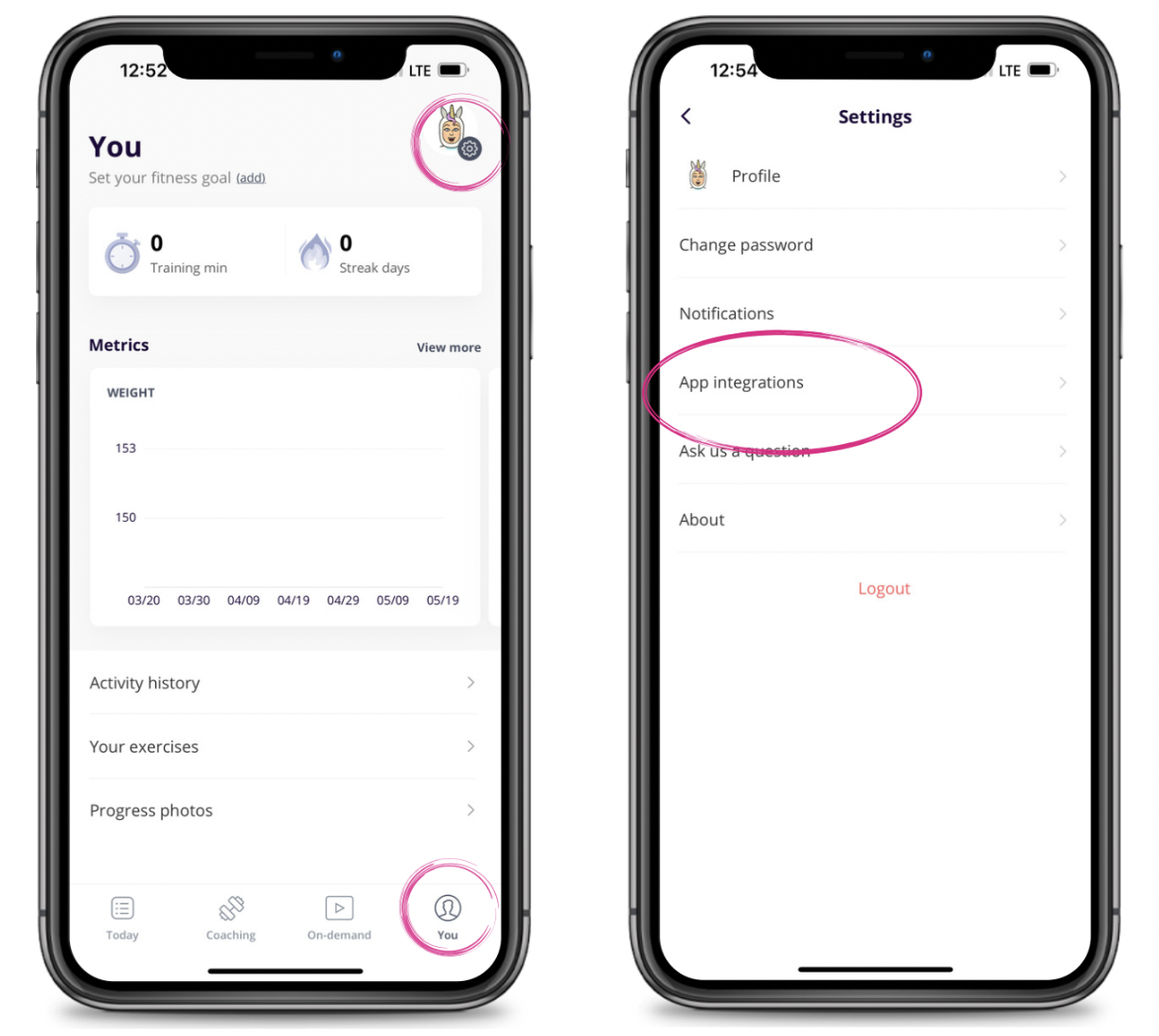
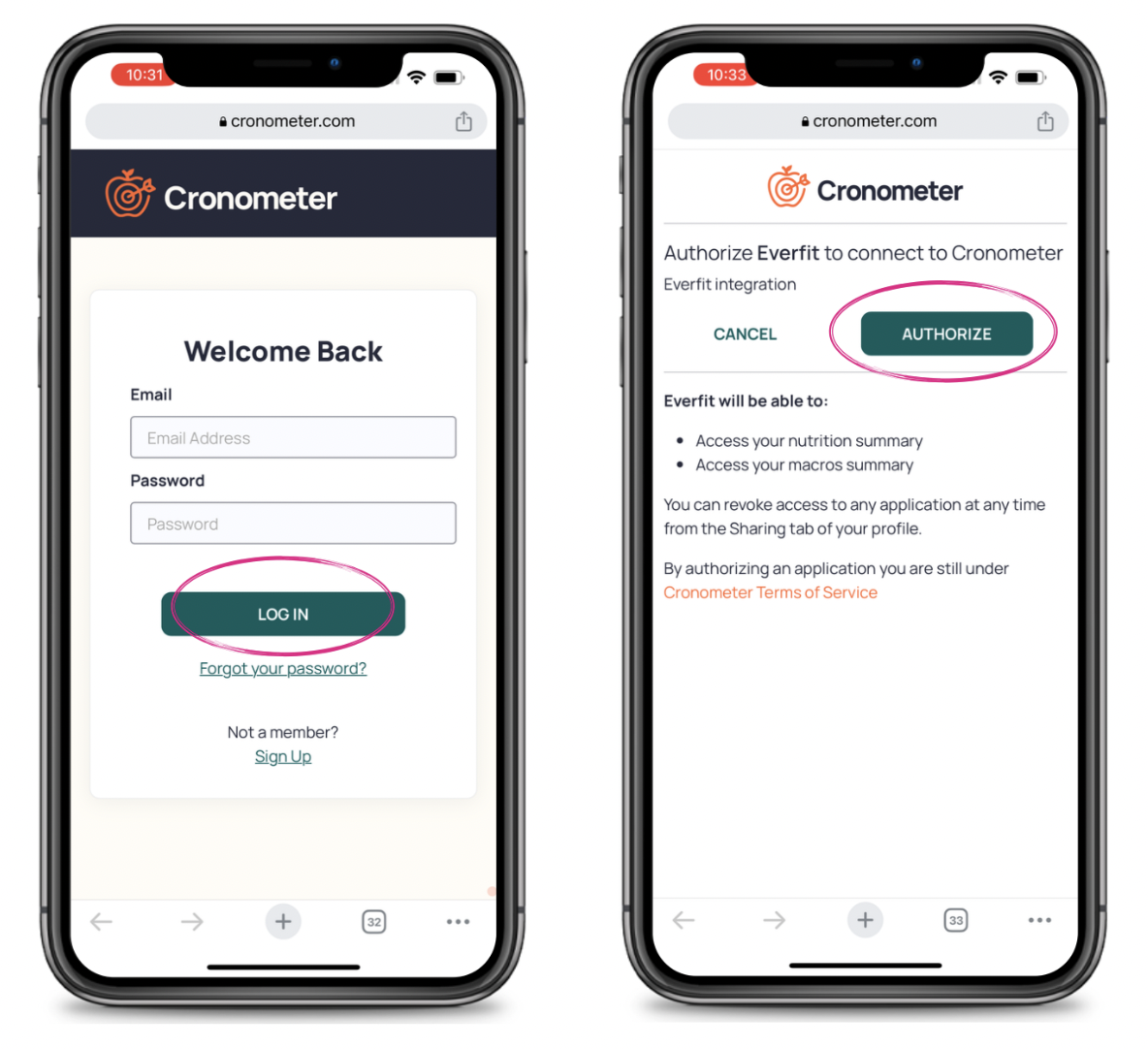
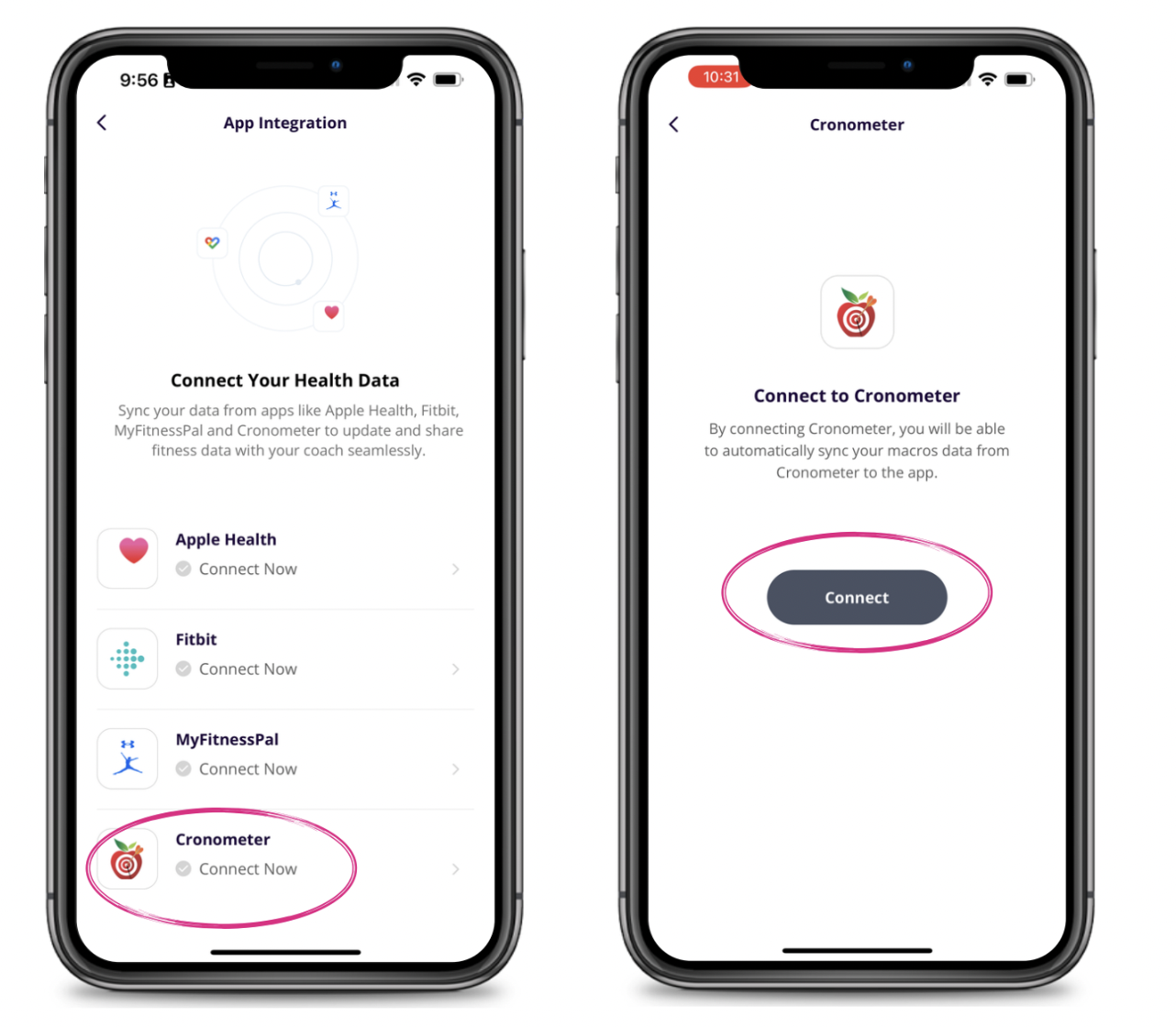
Select App Integrations and then select Cronometer. Hit "Connect" and a page will open to have you login to Cronometer.
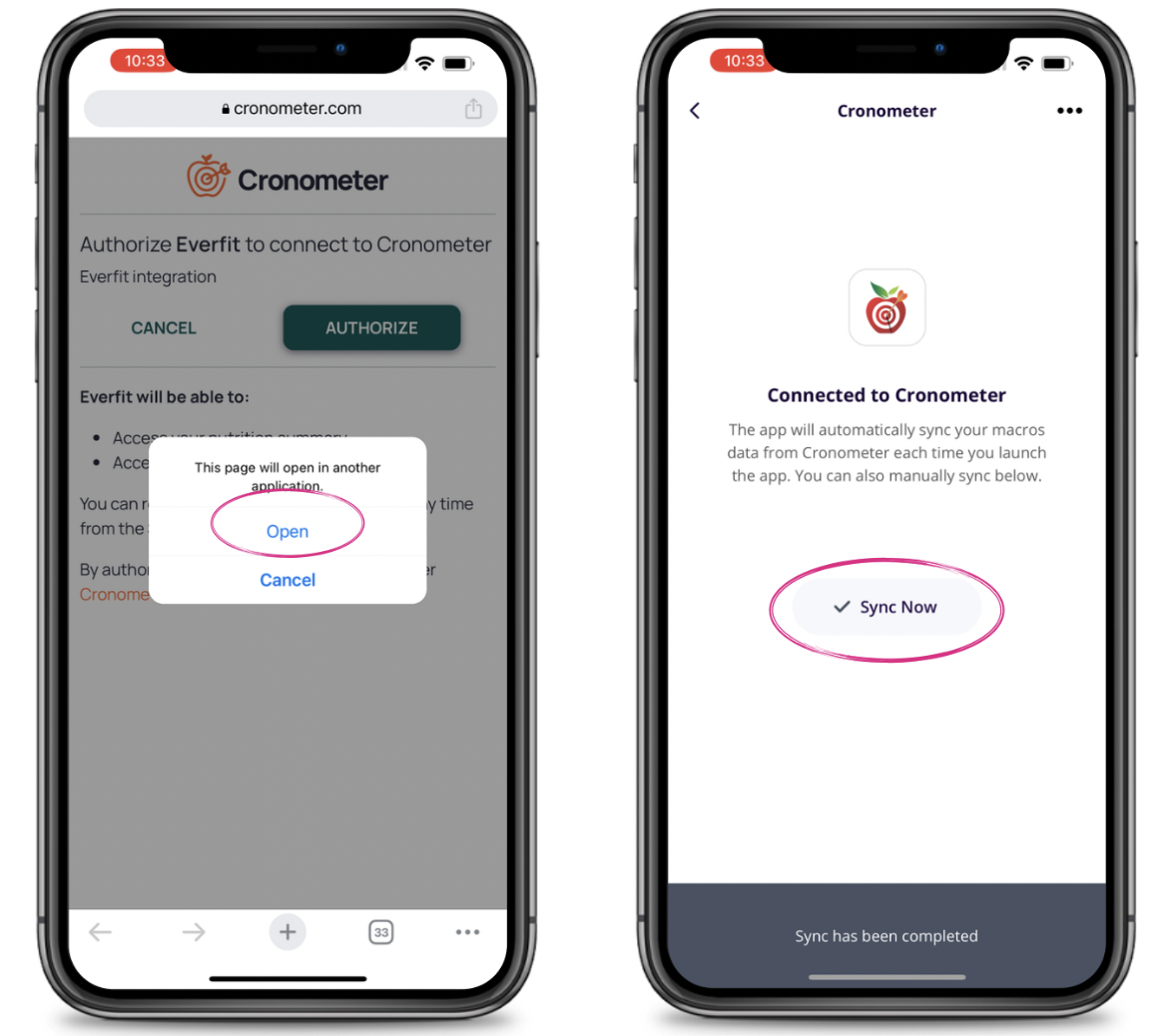
Once you do so another page opens to have you authorize. Click on "Authorize" and you'll be redirected back to the Dynamic Strength app and your data will be synced.