
Video Tutorial
Email Notifications
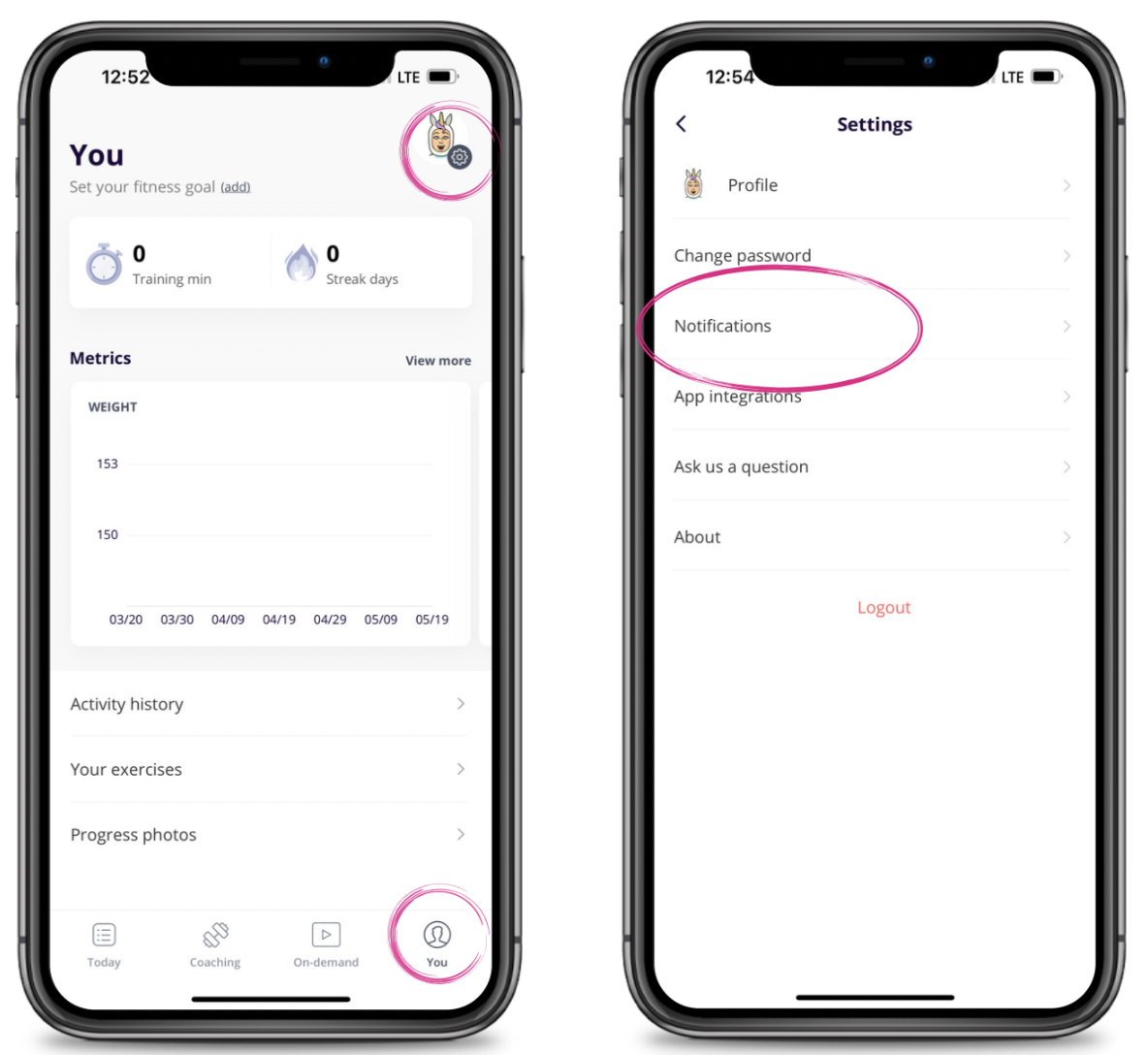
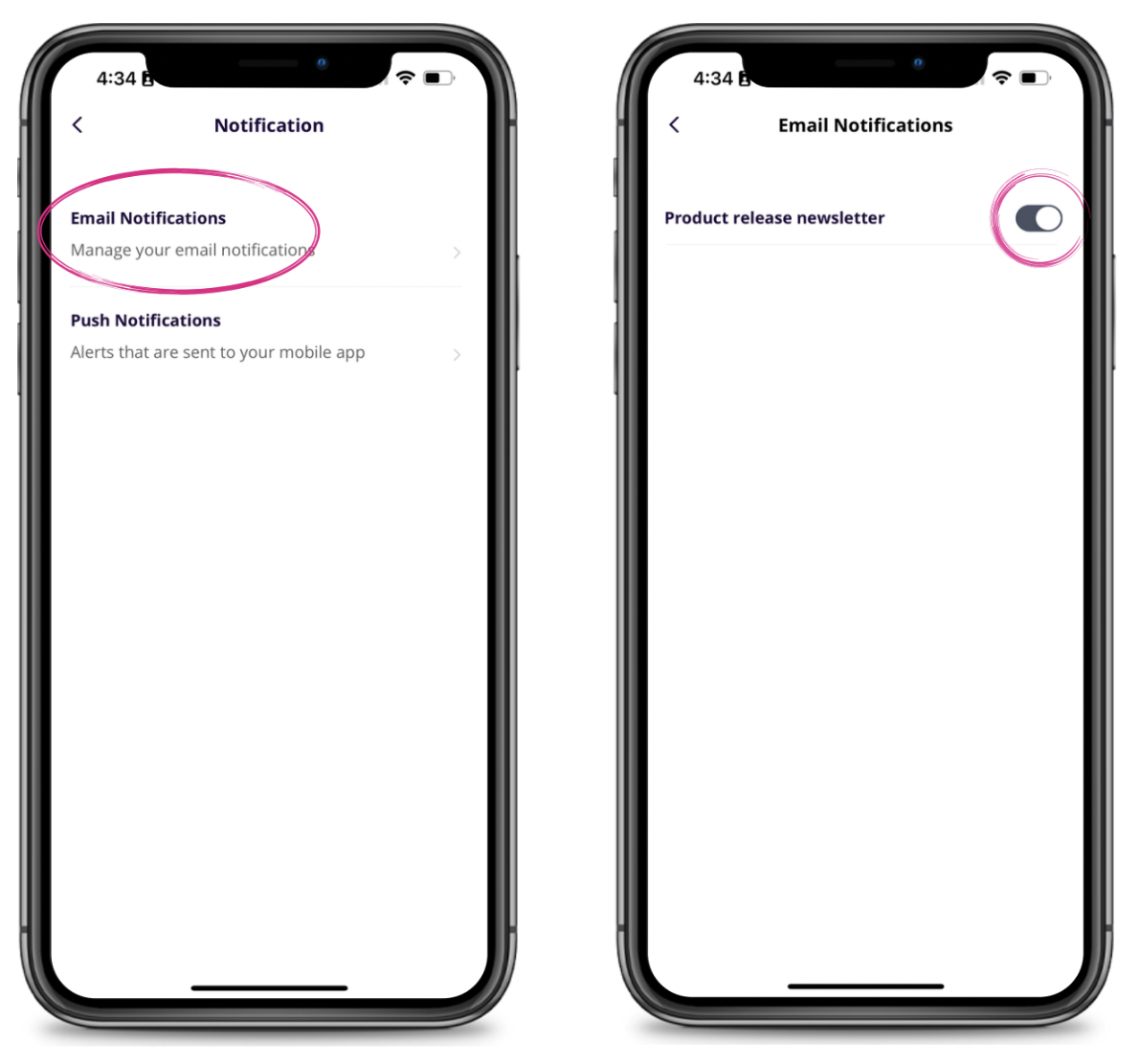
To manage notifications go to the You tab and click on Notifications. You can click on Email Notifications and toggle that on or off.
Push Notifications
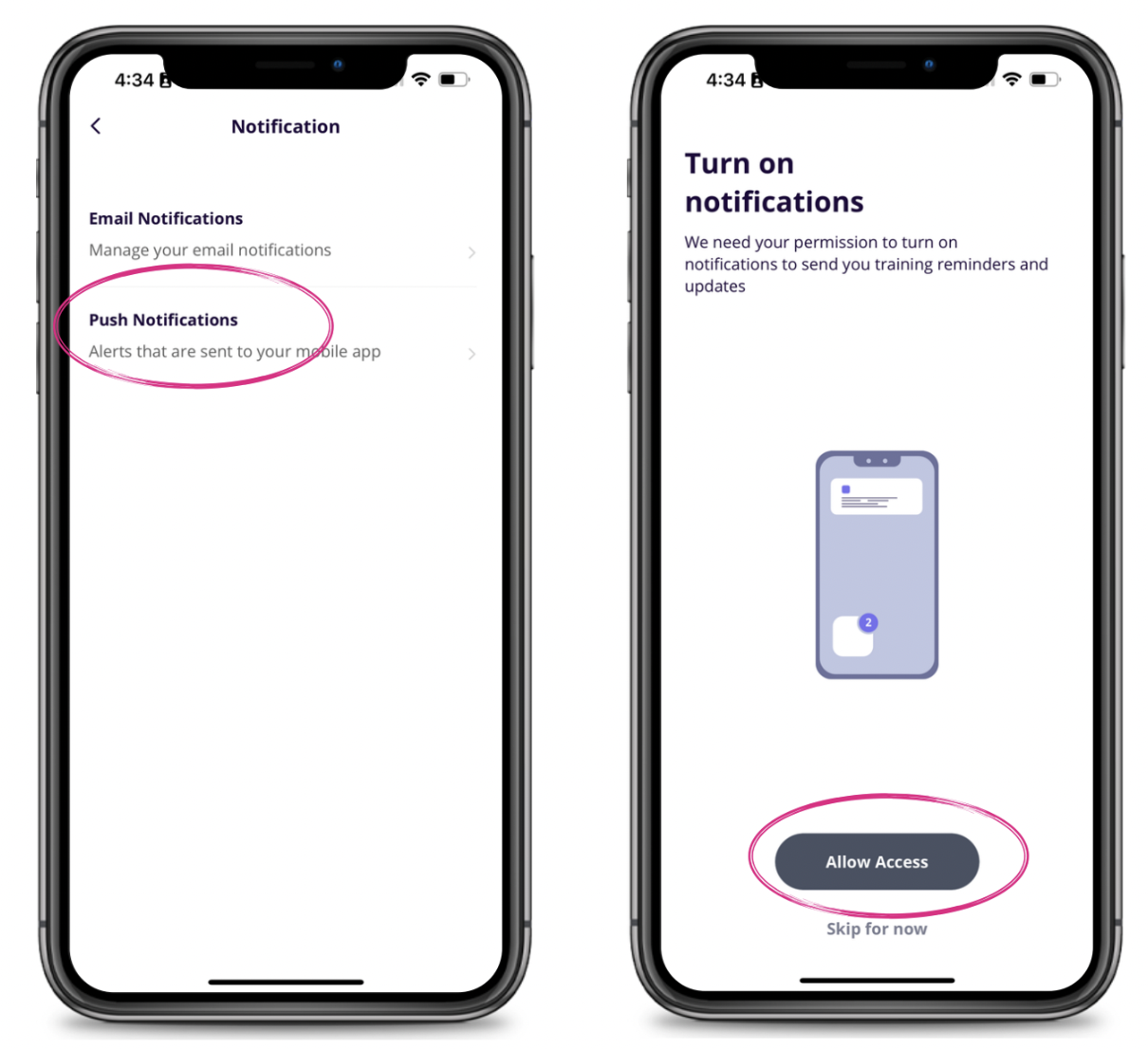
You can click on Push Notifications to set those up click on "Allow Access." It will then open your phone Settings. Click on Notifications and toggle on and adjust the notifications you would like to receive. If you want to stop them at any time return to your phone settings and toggle this off.

Clearing Notifications
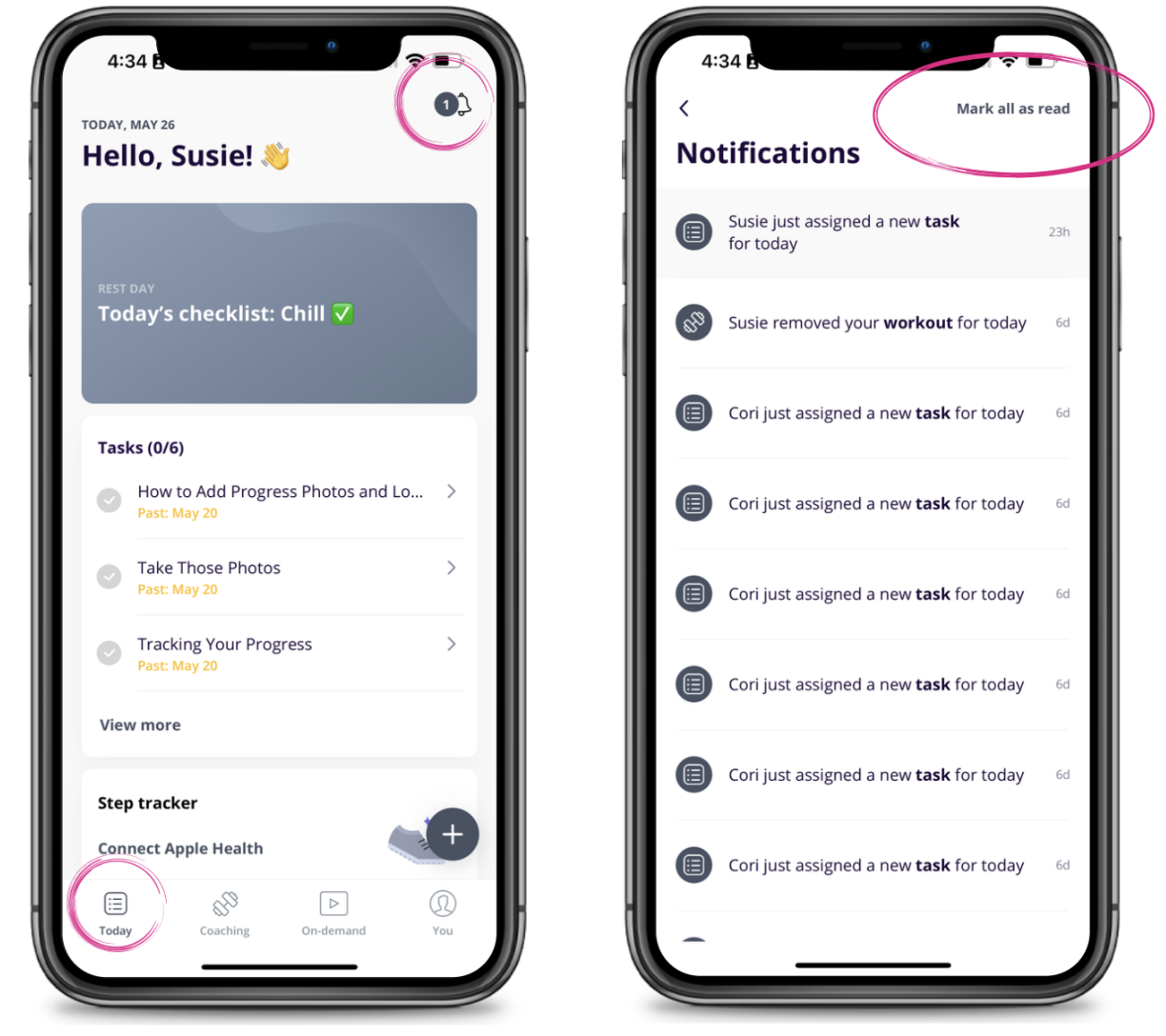
To view notifications you can click on the bell icon in the top right corner of the You tab. You will see all recent task and workout notifications and to clear you can "Mark all as read."