
Video Tutorial
Written Instructions
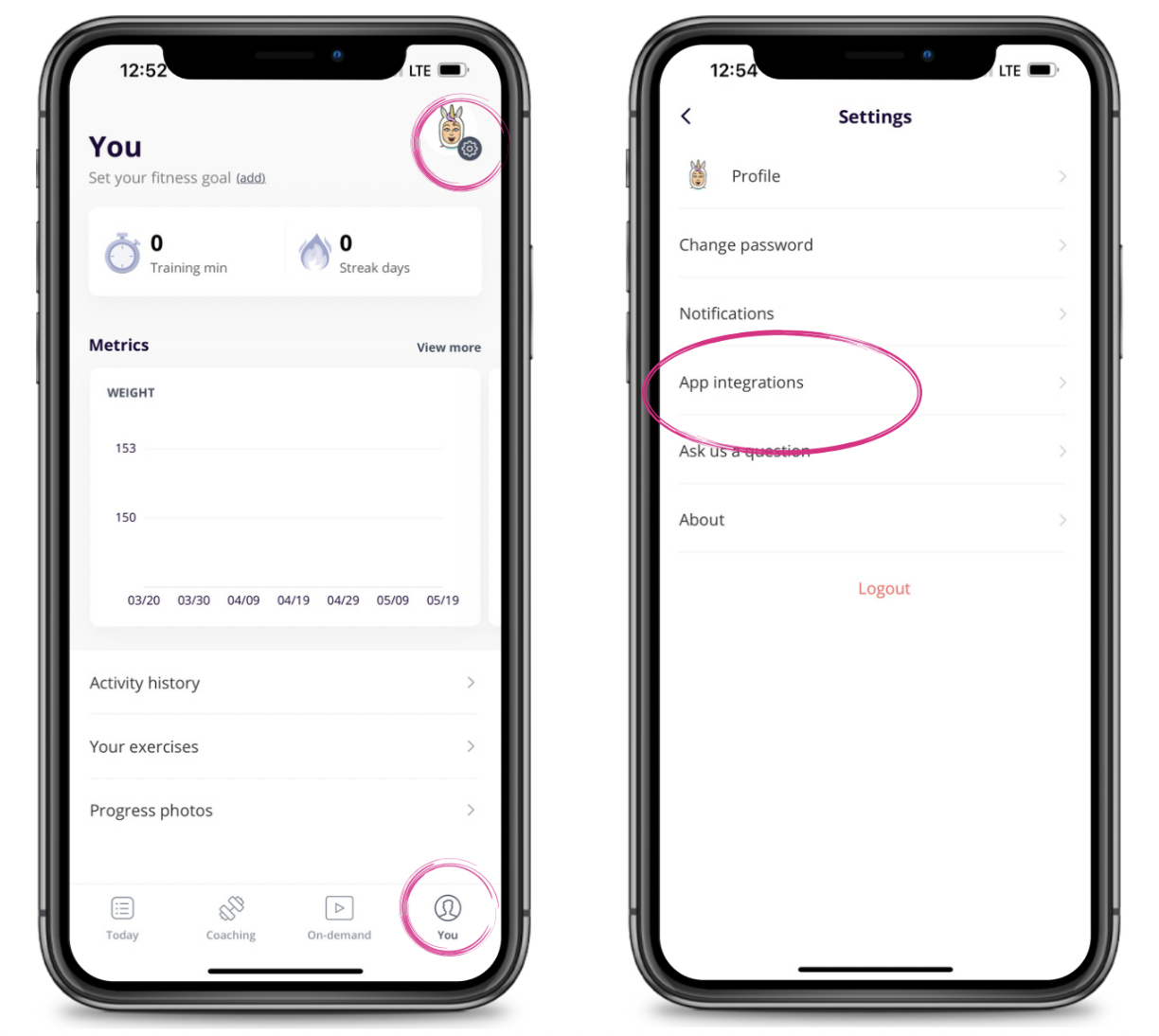
To connect Apple Health, you will go to the "You" tab and click the gear icon in the top right corner to open Settings.
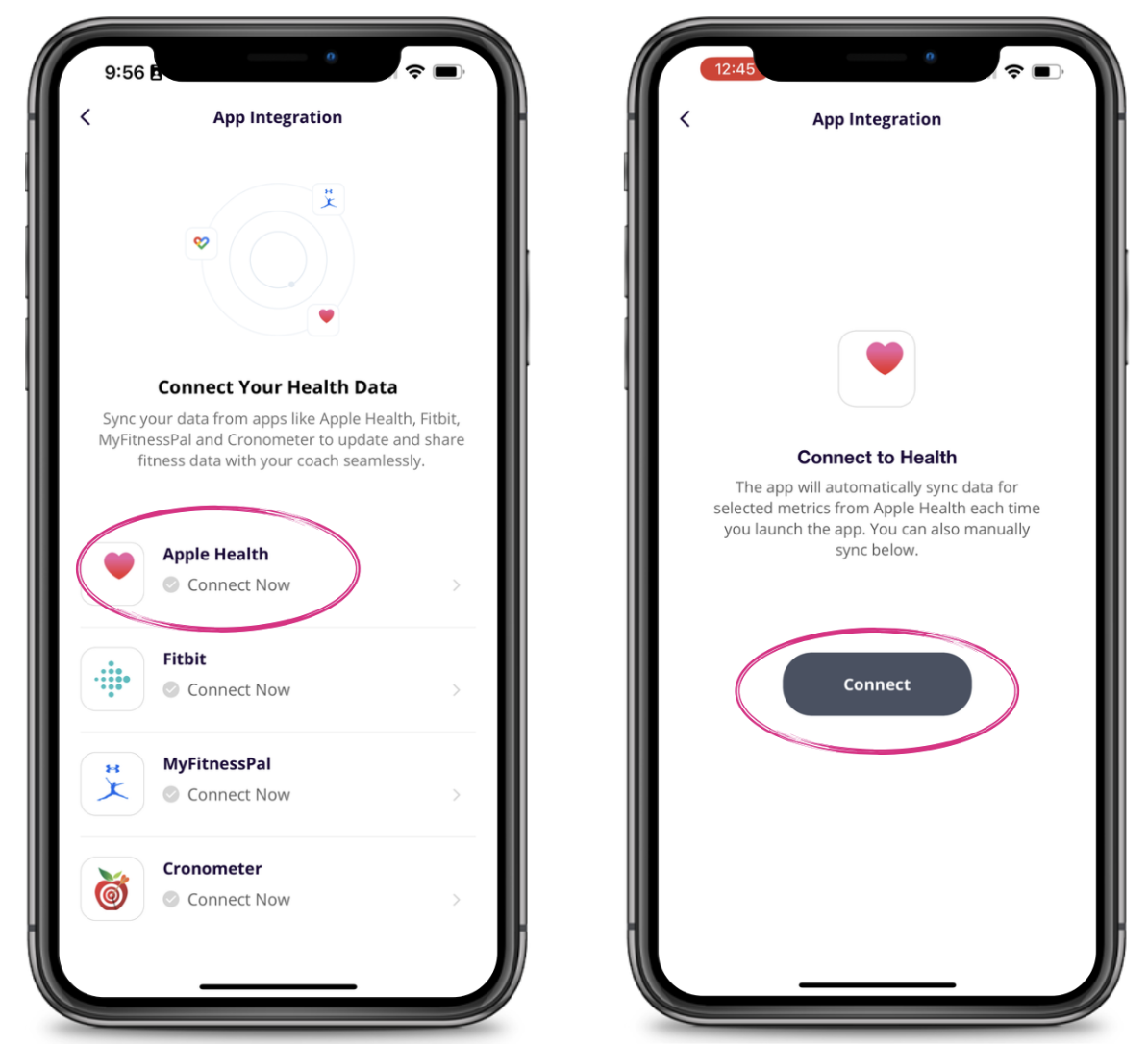
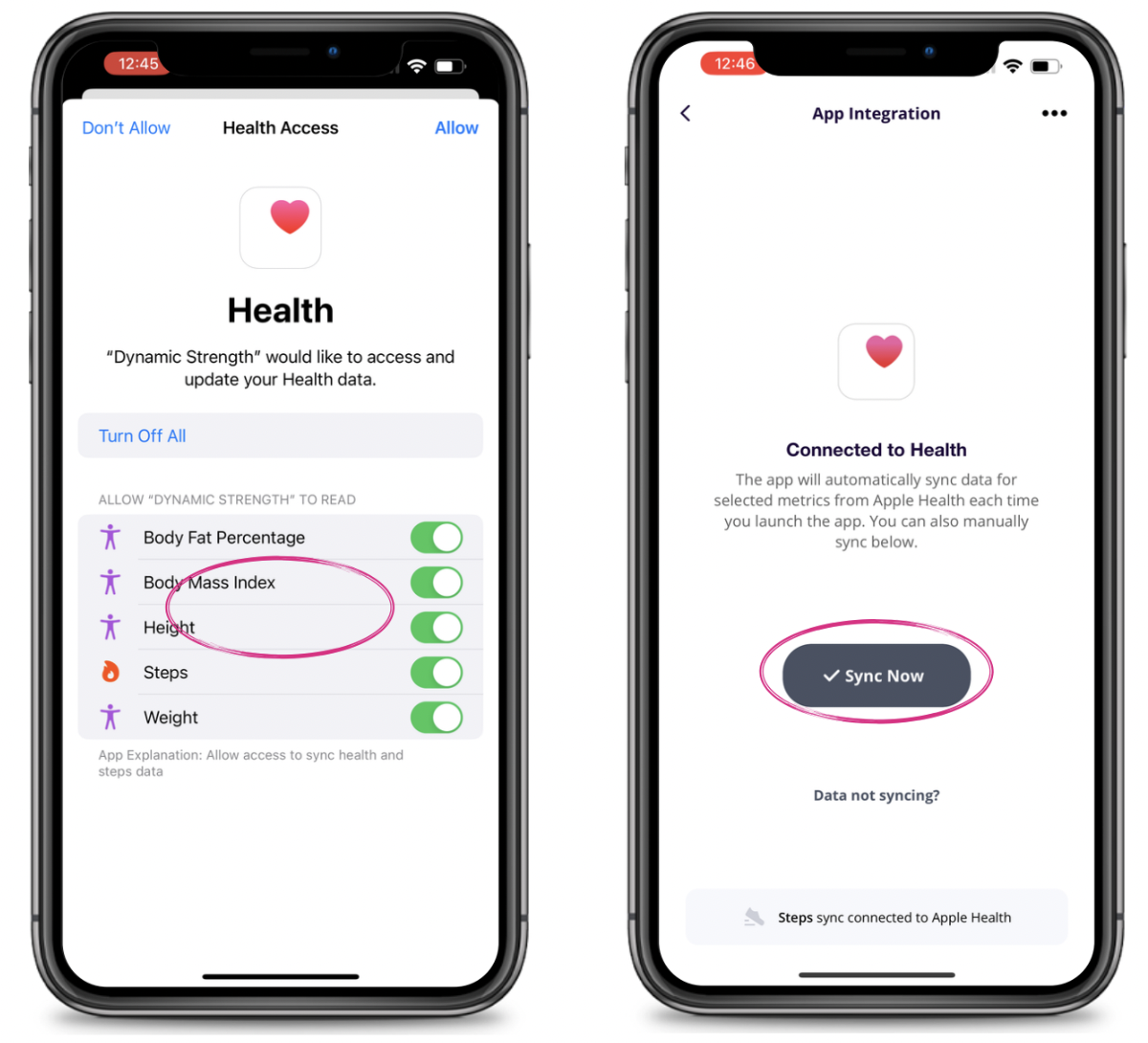
Select App Integrations and then select Apple Health. Hit "Connect" and select which health data you would like to sync and press "Allow" in the top right corner.
You are now connected. If you want to manually sync at any time just select "Sync Now."