

Connecting MyFitnessPal Instructions
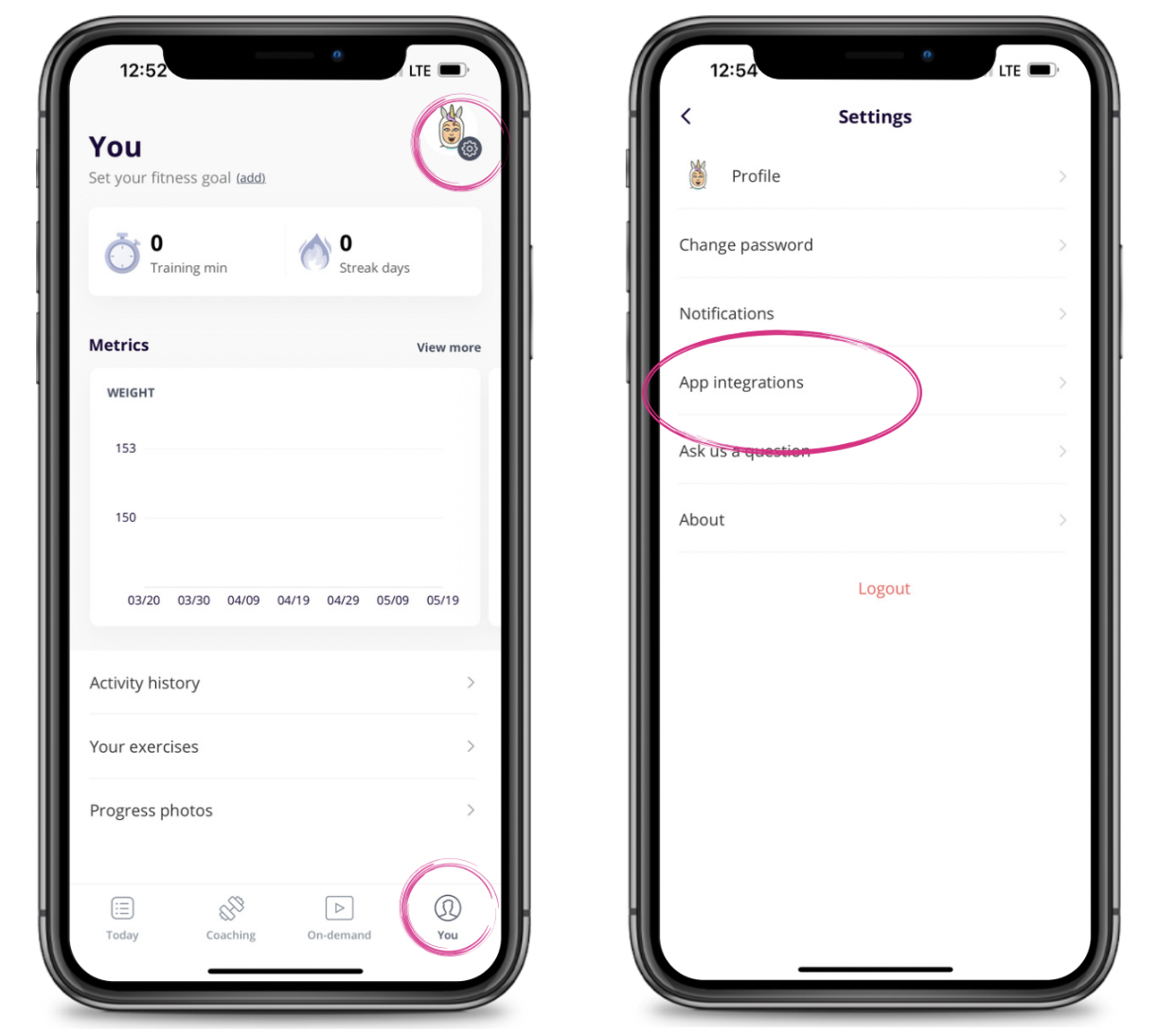
To connect MyFitnessPal, you will go to the "You" tab and click the gear icon in the top right corner to open Settings.
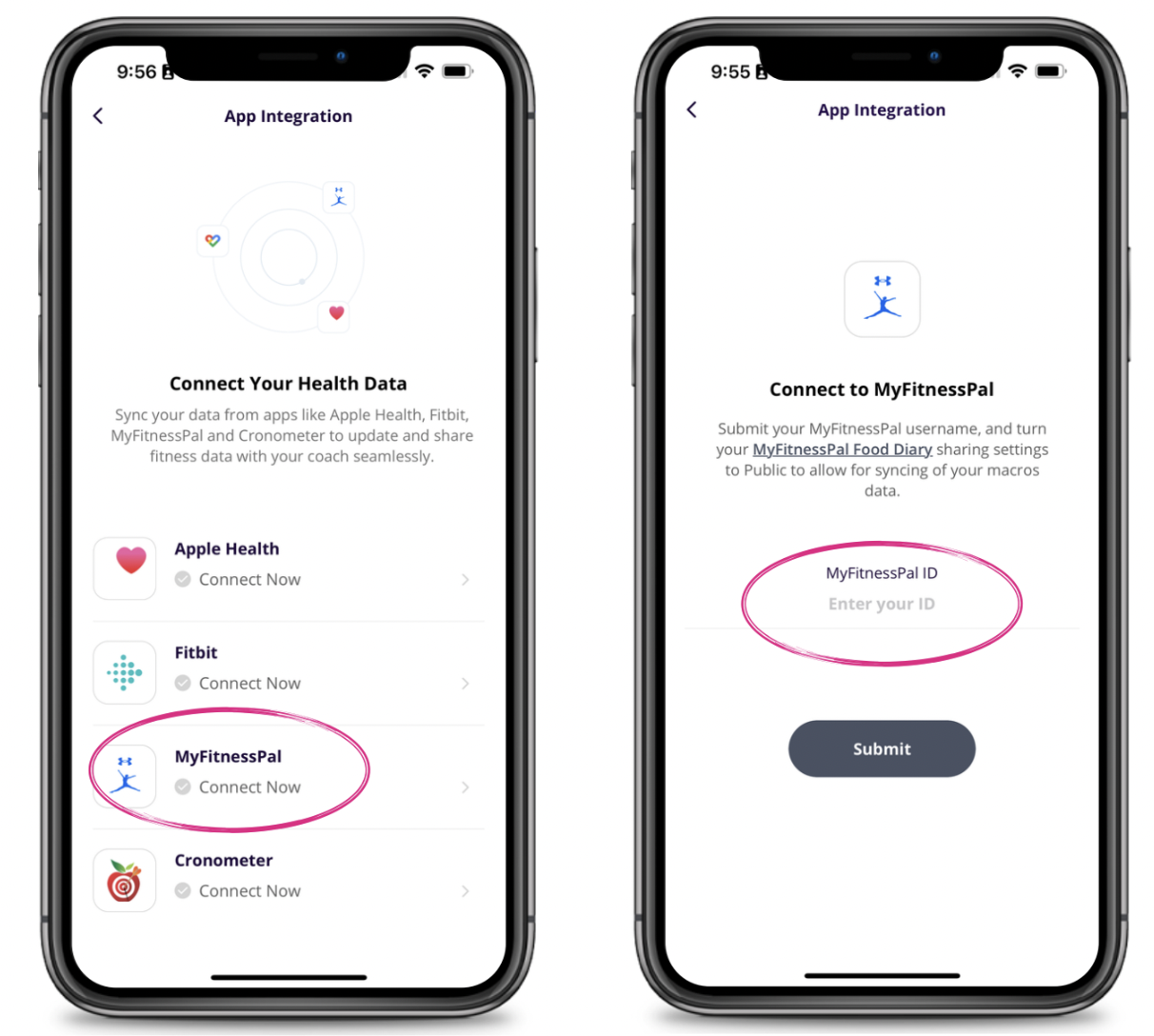
Then select ""App Integrations"" and select MyFitnessPal. Enter your MyFitnessPal username and hit Submit.
Change Diary Settings in MyFitnessPal to Public
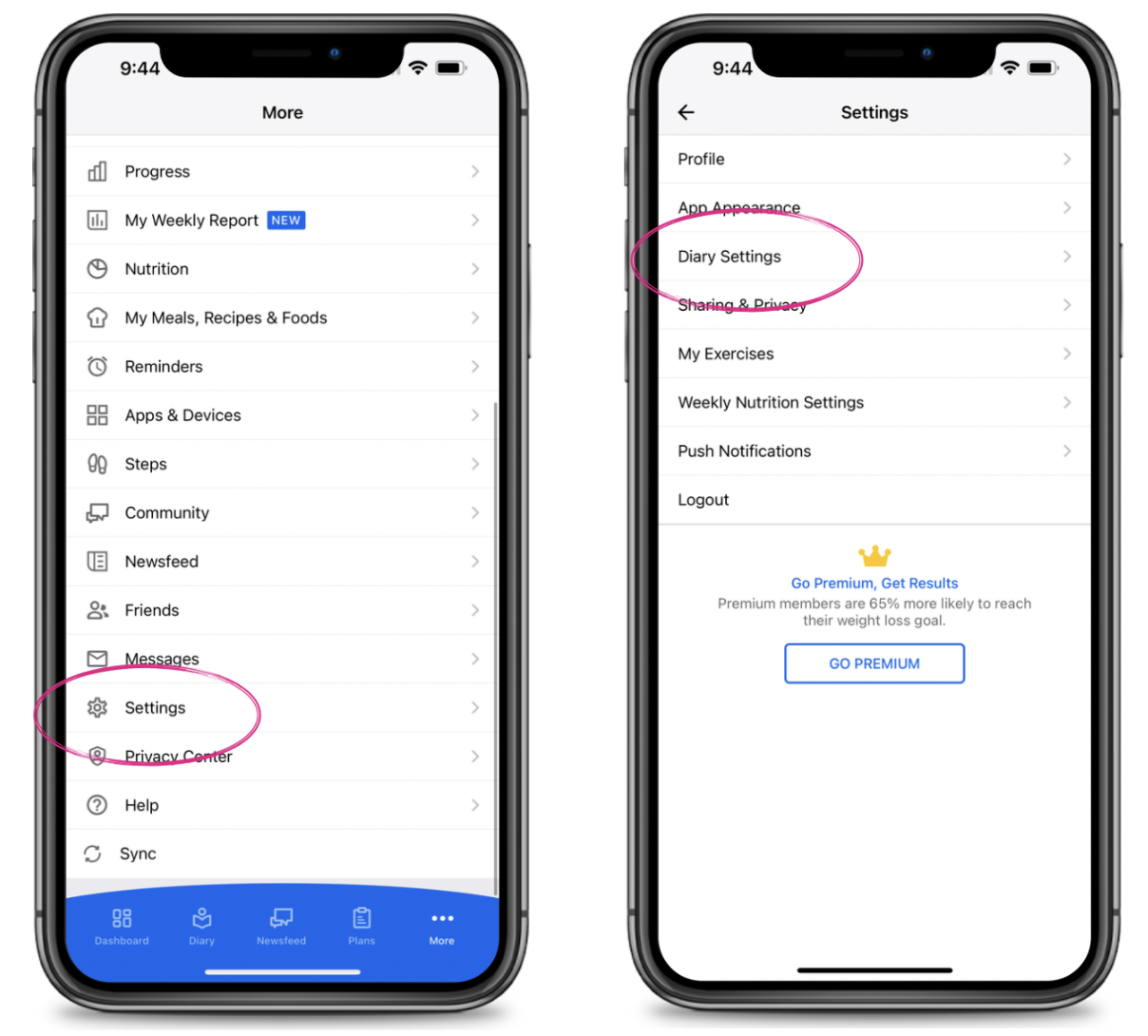
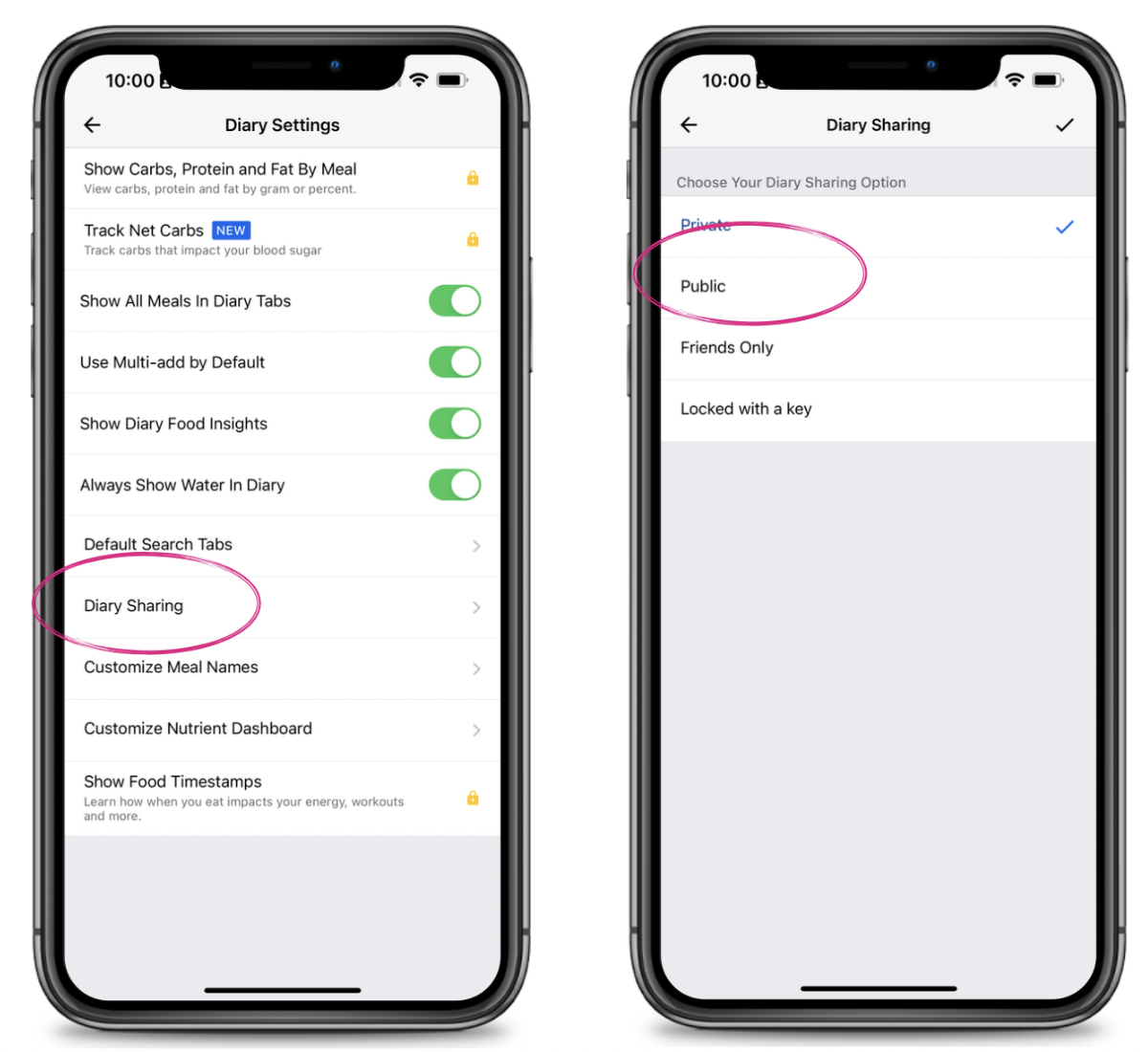
You will then need to go into MyFitnessPal and open Settings then Diary Settings. Select ""Diary Sharing"" and make sure this is set to Public.
Go back into the Dynamic Strength App and you will then want to set your calories and macros. Here is a video showing how to do that
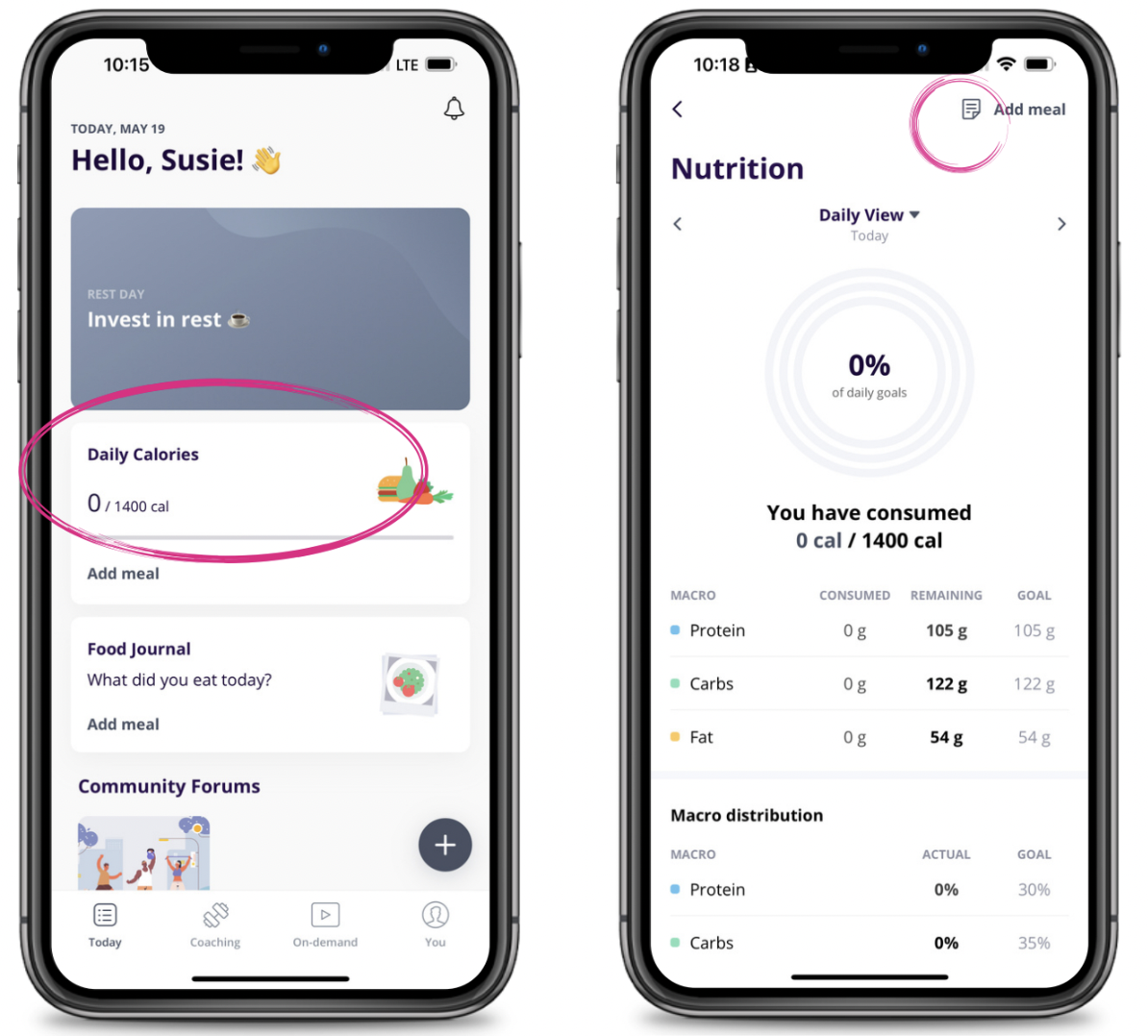
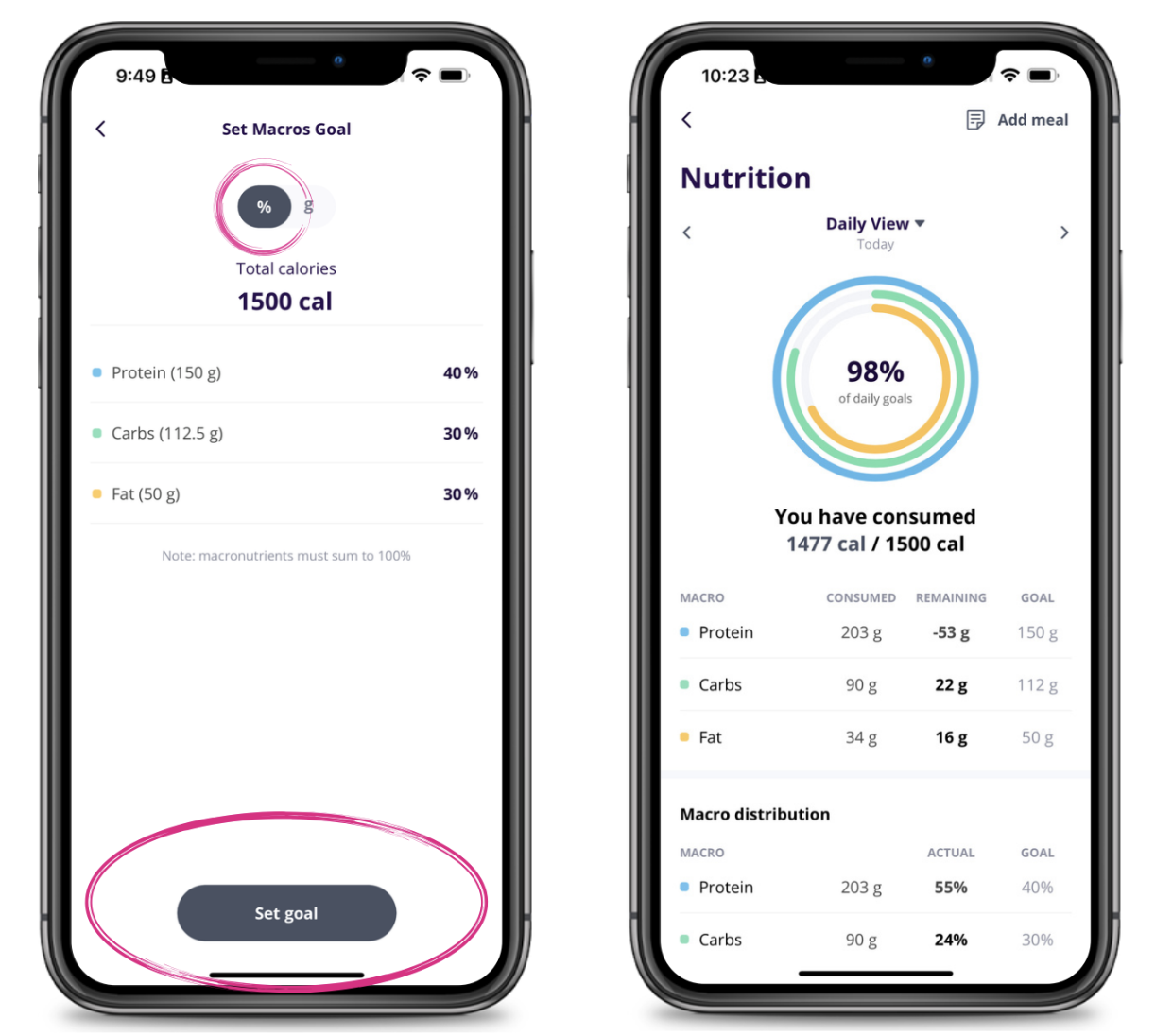
If you need help calculating a goal, try our Macro Calclulator